

Content architecture
Plan the pages, navigation and calls to action around real visitor questions. Important information should be easy to find, not hidden behind a visual effect.
HanovaDevs / Design & engineering
Make your website your clearest introduction.
Thoughtful websites that connect your story, your audience and the actions that matter. From the first wireframe to a maintainable launch.
Start with the right problem
A good website helps people understand what you offer and decide what to do next. We bring content structure, interface design and development into one connected process, rather than treating the website as a collection of unrelated pages.
What comes together
The right result needs more than one isolated deliverable. These workstreams help shape a coherent engagement.
Plan the pages, navigation and calls to action around real visitor questions. Important information should be easy to find, not hidden behind a visual effect.
Translate your positioning into layouts, typography and reusable components. Prototype important interactions before committing to a full build.
Build layouts that adapt to phones, tablets and larger screens. Forms, menus and image loading are part of the experience—not finishing touches.
Connect the agreed CMS, enquiry forms or business tools. Clarify editing responsibilities, data handling and failure states before launch.
What could we make together?
Find the kind of project you have in mind. These are possible engagement types; the brief decides the exact deliverables.
Explain the offer, answer buyer questions and guide a qualified enquiry.
Service pages · About · Contact
Discuss this project typeGive one audience and one offer a focused, measurable destination.
Offer story · Evidence · Enquiry flow
Discuss this project typeShow what the product does and help people decide whether it fits.
Feature journeys · Product media · FAQs
Discuss this project typeOrganise a growing library so readers can find useful information.
Articles · Categories · Author pages
Discuss this project typeMake a complex catalogue easier to search, filter and understand.
Search · Filters · Detail templates
Discuss this project typeImprove the experience while planning for existing content and URLs.
Content inventory · Redirects · Reusable layouts
Discuss this project typeChoose the situation closest to yours to see how the work can begin.
Start with the audience, sitemap and content priorities. Then develop a visual direction and the reusable building blocks for your launch.
Review the existing content, visitor journeys and technical constraints. Plan the migration carefully so a new design does not quietly lose useful pages or enquiry paths.
Bring the problem, value, supporting information and enquiry action into a focused page. Define the conversion event before deciding which numbers to measure.
10 familiar challenges / practical responses
See how we would approach the problem—and what we would check before calling the work complete.
Find the right level of help ↓Lead with a specific audience, offer and next step, then structure supporting pages around the questions a buyer asks.
Ask representative readers to explain the offer and find the enquiry action.
Connect service explanations, relevant project evidence and a short contact journey. Remove competing calls to action where they obscure the main task.
Test the enquiry from entry page to acknowledged submission, including errors.
Design small-screen navigation, readable type, touch targets and forms as part of the core experience.
Check agreed phone widths, keyboard access and real menu/form interactions.
Review image sizes, reserved media dimensions, font loading and the scripts needed for the page.
Compare representative loading and layout-stability measurements under stated conditions.
Agree which content needs an editor, then build appropriate CMS fields or reusable page templates with publishing guidance.
Have an editor complete a realistic update without developer intervention.
Group content by audience tasks, give pages clear names and connect related information with purposeful internal links.
Walk through common find-a-service and find-a-project tasks.
Connect the agreed delivery service, validate inputs and preserve the visitor’s draft when delivery fails.
Test accepted and rejected requests and verify arrival with the receiving team.
Inventory important URLs, map replacements and plan redirects before switching the new site live.
Check the agreed URL list, redirect destinations and canonical pages.
Build semantic navigation, labelled forms, visible focus and predictable interactive states.
Complete agreed journeys by keyboard and review representative screen-reader output.
Create a shared type, spacing, layout and component system that supports new content without losing consistency.
Review representative page types and document how to extend them.

A scope that fits the situation
You may need an independent review, a defined build or a focused improvement. Start with the work that matters now, with responsibilities and boundaries agreed.
Talk through the options ↗For a live site that needs a clear direction.
For a new site or a considered redesign.
For an existing experience that needs focused improvements.
From the first conversation to delivery
Review points make decisions visible. Scope, dependencies and feedback responsibilities shape the delivery plan.
Identify the audience, content gaps and most important visitor actions.
Review key layouts and interaction states before expanding the page set.
Implement responsive components and agreed content or form integrations.
Review devices, keyboard paths, metadata and publishing responsibilities.
Designed to be useful after delivery
Know what you own, what your team can change and who is responsible for the next update. The proposal sets out files, access, documentation and support.
Third-party fees and ongoing work are discussed separately.
Quality is part of the work
Review navigation, form labels, keyboard focus and meaningful error states.
Assess loading and layout stability using representative pages and stated test conditions.
Check page titles, canonical URLs, crawlable content and redirect requirements.
See the thinking in practice
Explore the challenge, delivered interface and evidence behind the story. Each project has its own context and outcomes.
 View case study ↗
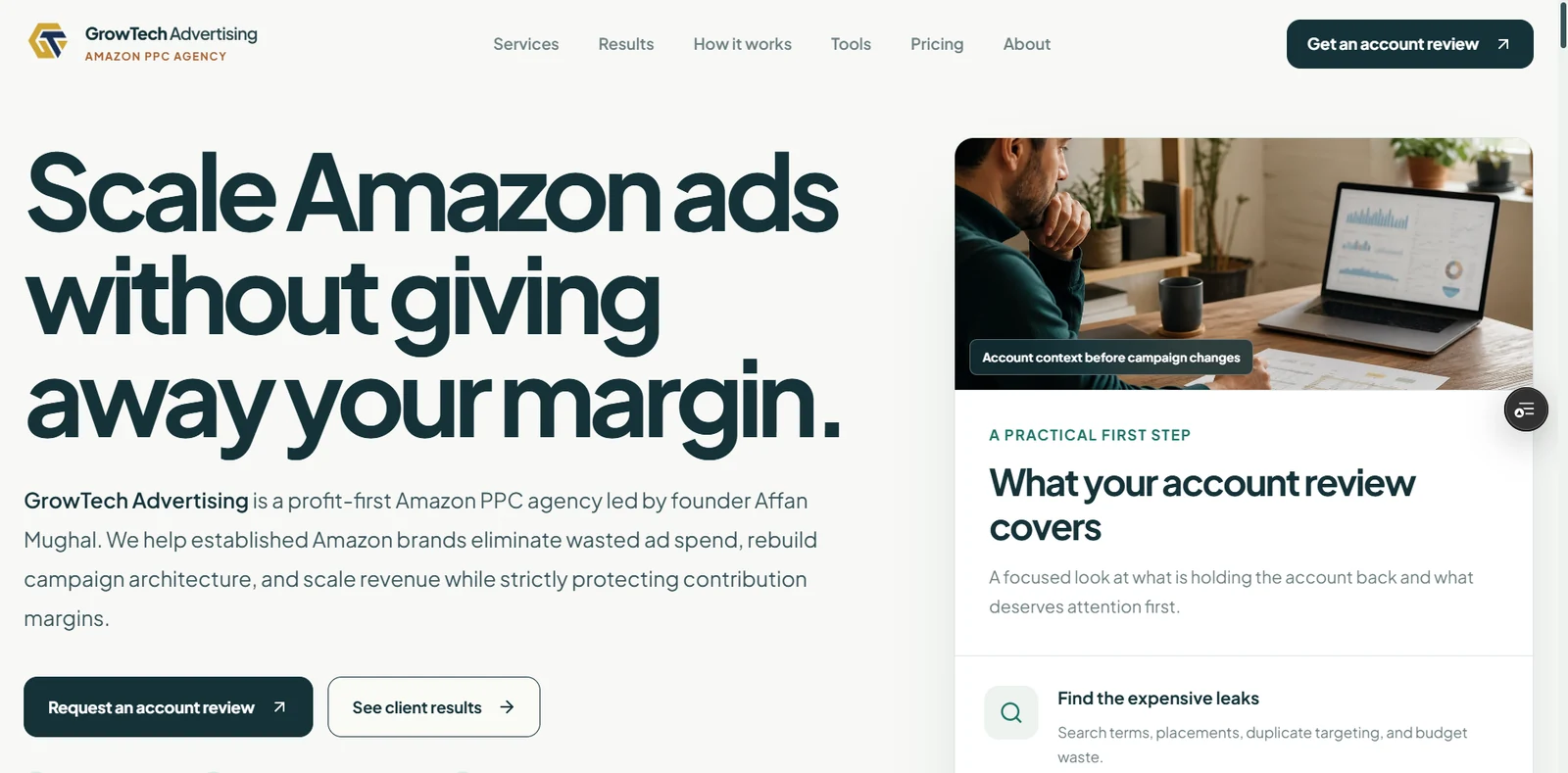
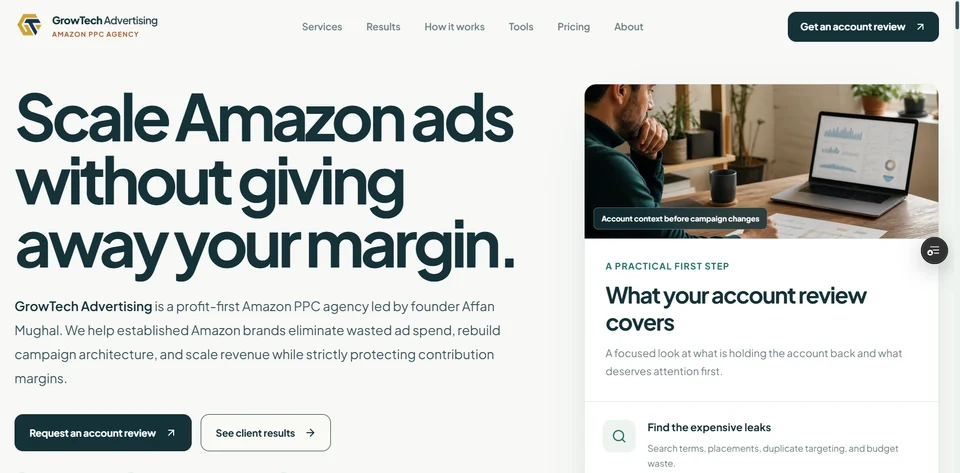
Agency website
A focused digital presence for an Amazon PPC agency, connecting its positioning, service information and account-review enquiry journey.
Read the case study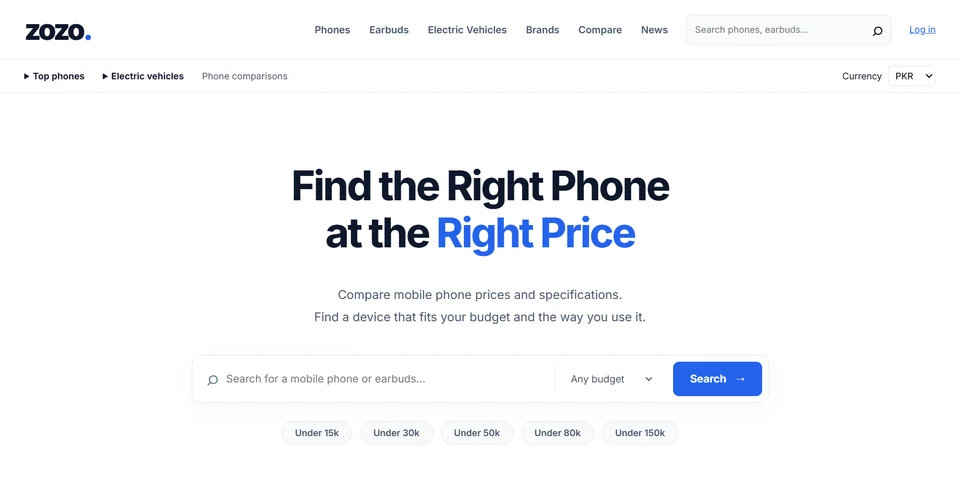 View case study ↗
Technology discovery & comparison
A technology discovery platform for researching phones, earbuds and electric vehicles through price information, specifications, filters and side-by-side comparisons—not an ecommerce store.
Read the case studyEvidence instead of empty promises
A finished deliverable and a business result are different things. We agree what can be tested directly and what needs observation after release.
Record the important user journeys, current enquiry path and representative page measurements.
Validate navigation, forms, responsive layouts, redirects, metadata and agreed accessibility checks.
Review qualified enquiries and journey completion with the traffic, consent and observation period stated.
You do not need a perfect brief
A few useful inputs make the first conversation more specific. If something is missing, we can identify it together.
Share your brief ↗Use redacted examples where needed. Don’t send passwords or private customer records in an enquiry.
Who needs the site, what they need to understand and the action you want them to take.
Existing URLs, draft copy, approved imagery and any pages that must be retained.
Who edits content, how often it changes and which systems the site must connect to.
One decision owner, available reviewers and a realistic content approval process.
Useful answers before we start
Have a question specific to your project? Tell us the context and we’ll discuss the next step.
Ask the team ↗Possible project types include company & service websites, campaign landing pages, product launch websites, content & editorial platforms, directories & comparison sites, website redesigns & migrations. We define the deliverables, dependencies and acceptance criteria in the proposal for your project.
Yes, where an editing workflow is part of the scope. We agree which content needs a CMS, who will publish it and what training or documentation is needed. Not every website requires the same editing system.
Yes. We review the current pages, content, integrations and migration requirements before recommending changes. Retaining useful URLs and planning redirects are part of a considered redesign.
Responsive behaviour is planned during design and implementation. We agree representative screen sizes and important interactions to test; mobile usability involves menus, forms, text and image handling as well as the layout.
No universal score is promised. Results depend on content, hosting, third-party scripts and test conditions. We define appropriate checks and report what was actually measured.
We review the requirements, integrations, available assets and review responsibilities before proposing a price and delivery plan. The website estimator is an illustrative planning tool, not a binding quotation or a promised delivery date.
The proposal defines source and design access, documentation, account ownership, licensing and any training or support. Third-party subscriptions, maintenance and future feature work are identified separately rather than assumed to be included.
Your next project starts with a conversation
Tell us what you need to improve, what you have already tried and what matters most.
Let’s discuss your project ↗