

Recognisable product records
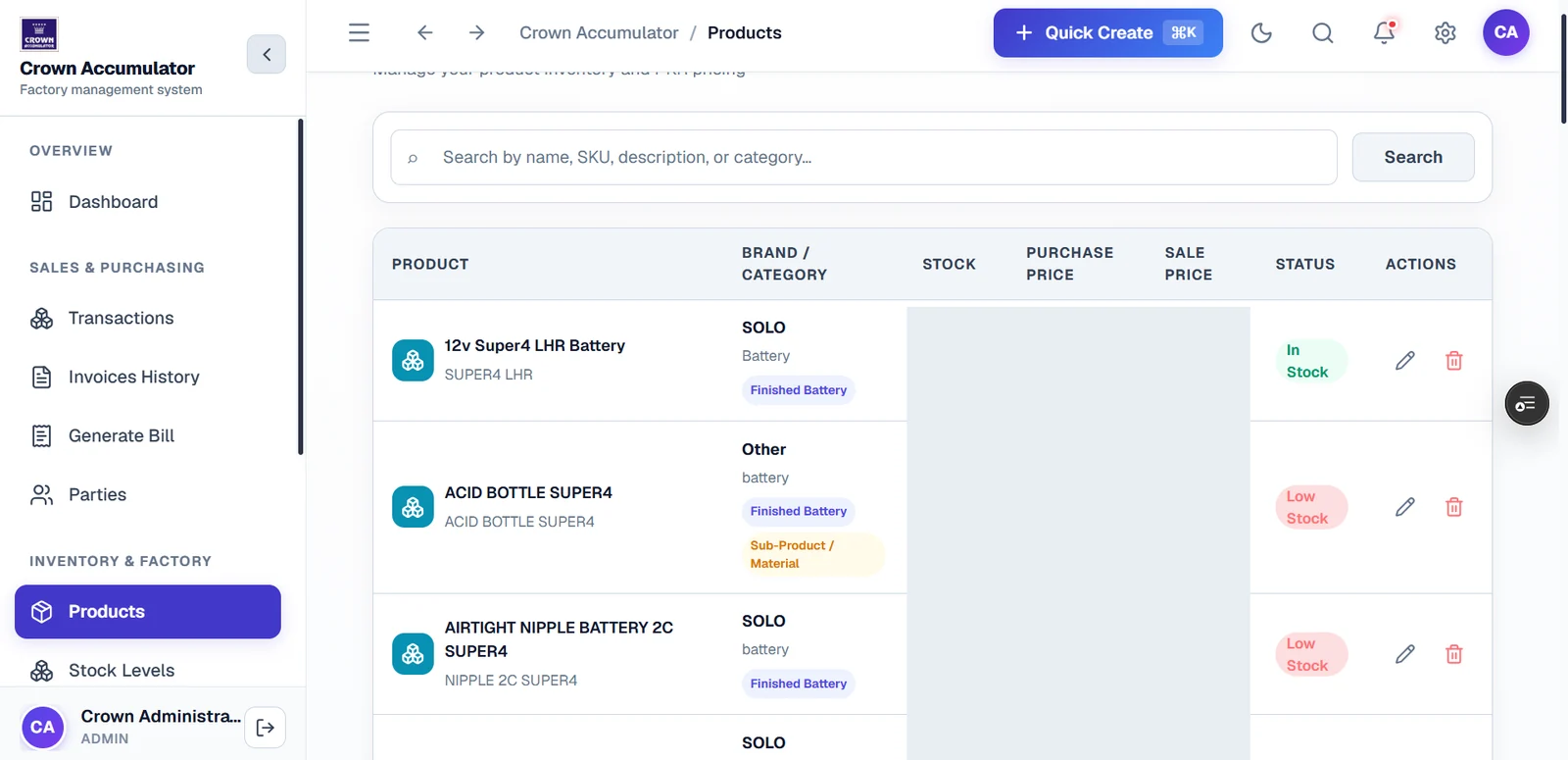
Rows show a product name and SKU alongside brand and category information, making the record’s context visible before an action is chosen.
A product catalogue built for operations
Product identity, categories and stock status brought together in a structured management view.
Admin-only application · Company-supplied interface preview
The design context
The Crown product screen connects product names and SKUs with brand, category and stock information. A search area sits above the catalogue, with product actions aligned to each row.
Reading the interface
Rows show a product name and SKU alongside brand and category information, making the record’s context visible before an action is chosen.
In Stock and Low Stock labels appear next to product entries. A status label is an interface observation, not verification of a physical stock count.
The visible search prompt names product name, SKU, description and category. This explains the intended discovery pattern without claiming a search-performance benchmark.
The original interface includes stock, purchase-price and sale-price columns. Those values are obscured in the public screenshot while the table structure remains visible.
The intended journey
A few useful distinctions
No. The screenshot documents the interface, not a warehouse count or an inventory reconciliation.
No. This is a portfolio walkthrough. Product editing remains inside the admin-only client application.
A system shaped around your work
Tell us where your existing tools create friction and what a clearer working day would look like.
Discuss a similar workflow ↗