

A place for priorities
The left panel groups priorities, assigned work and backlog. A people-search entry point gives meeting planning its own place beside individual work.
An agency day, given structure
A planning workspace that puts priorities, available time and the weekly calendar into one conversation.
Admin-only application · Company-supplied interface preview
The design context
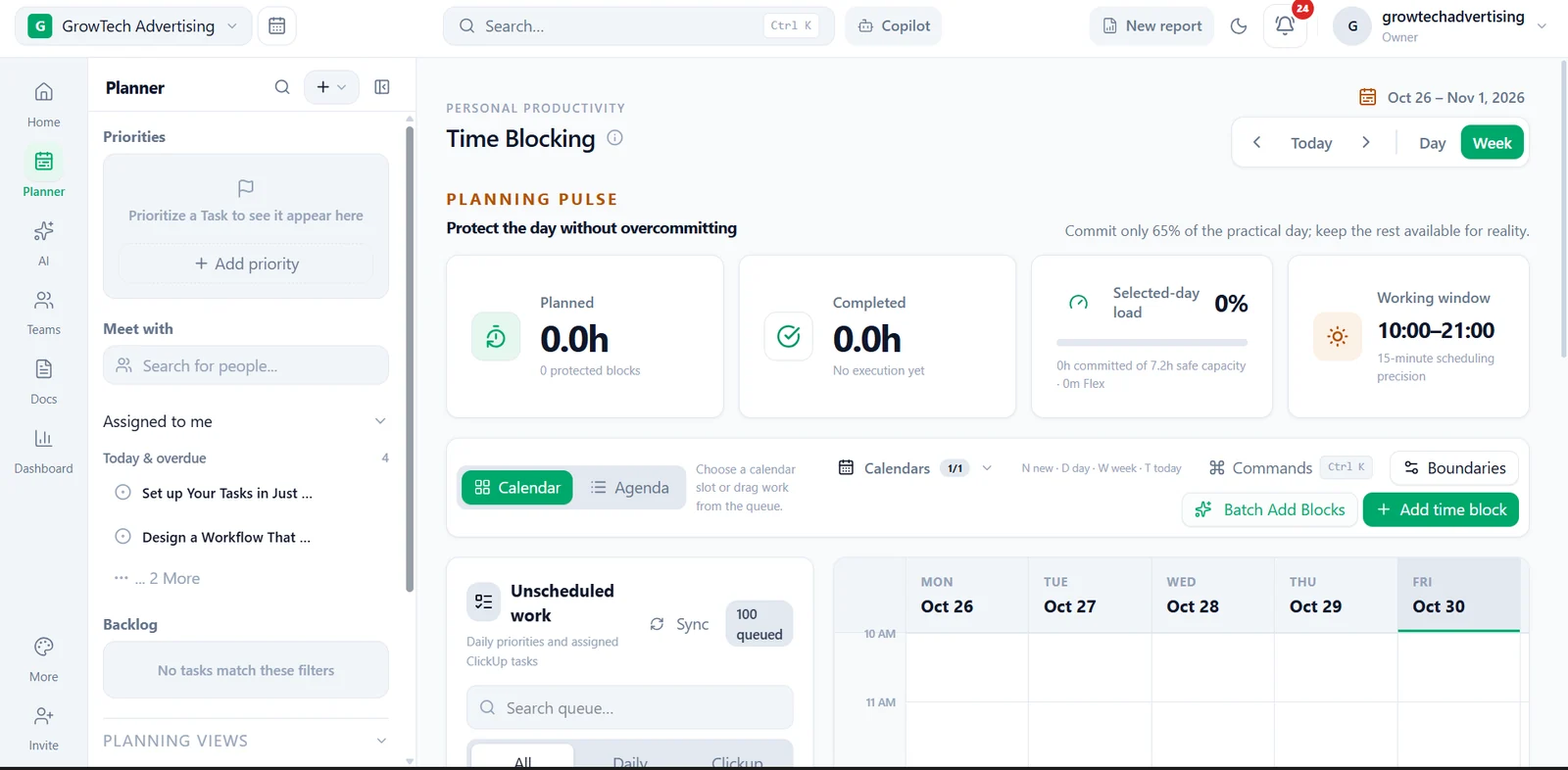
Agency work competes for the same hours. The supplied planning interface brings an assigned-work queue next to the calendar, with a planning pulse above it. The design makes workload and scheduling visible before a day becomes overcommitted.
Reading the interface
The left panel groups priorities, assigned work and backlog. A people-search entry point gives meeting planning its own place beside individual work.
Planned time, completed time, selected-day load and a working window are presented together. They are interface indicators, not measured productivity improvements.
Day and week controls, Calendar and Agenda views, and an unscheduled-work queue connect the schedule with the work waiting to be planned.
Add time block, Batch Add Blocks and Boundaries controls are visible. The screenshot documents their presentation; background sync and scheduling execution were not tested for this case study.
The intended journey
A few useful distinctions
No. This is a portfolio walkthrough of an admin-only workspace, not a public calendar or booking tool.
No. No before-and-after productivity measurements have been supplied. The screenshot shows how planning information is organised.
A system shaped around your work
Tell us where your existing tools create friction and what a clearer working day would look like.
Discuss a similar workflow ↗