
Team and people views
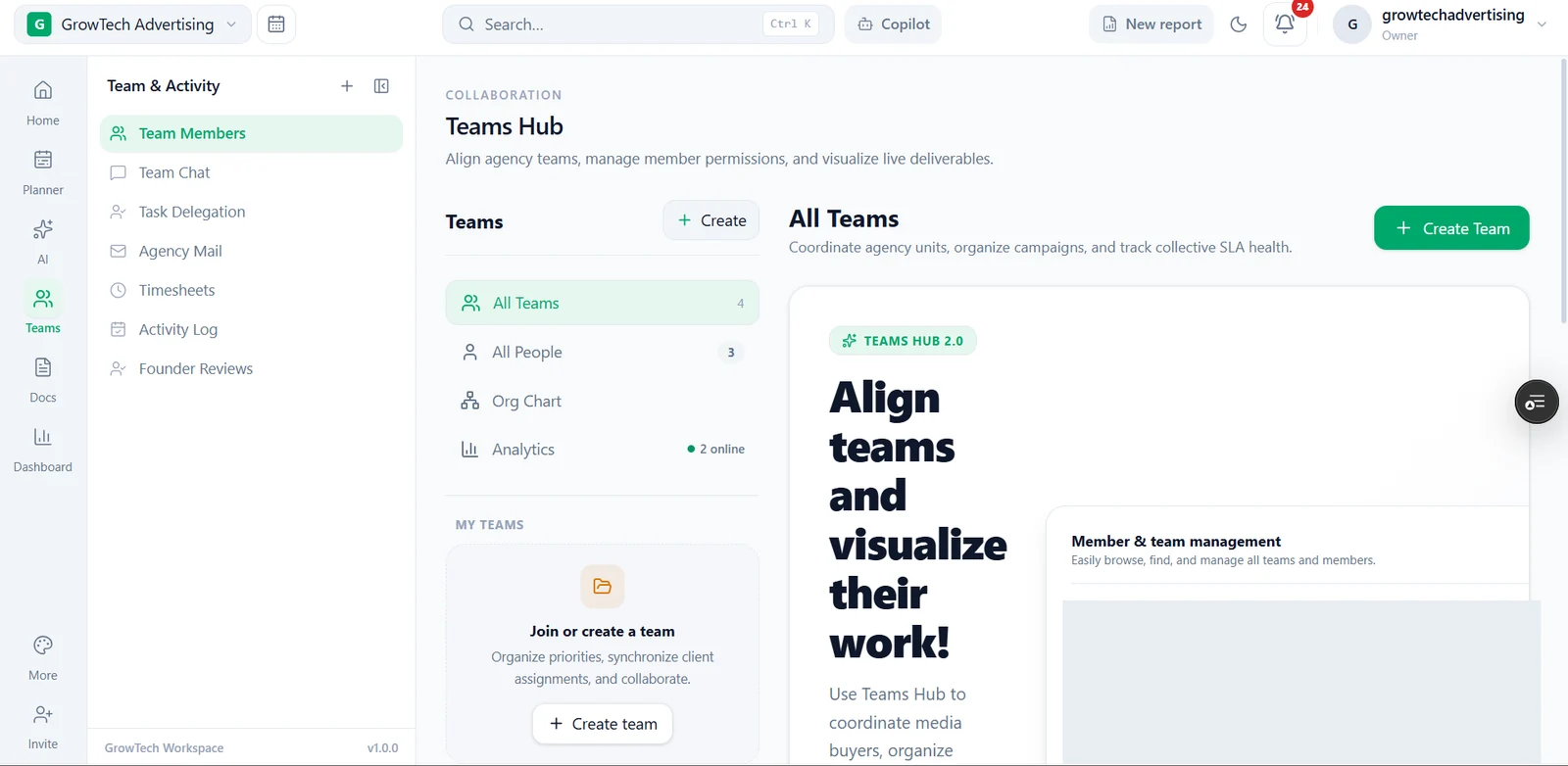
All Teams and All People are visible alongside Org Chart and Analytics destinations, separating team structure from individual discovery.
People and work, in context
A team hub that connects the people in an agency with the areas where collaboration happens.
Admin-only application · Company-supplied interface preview
The design context
The Teams Hub combines a team directory with navigation for people, organisation structure and activity. Instead of treating collaboration as a single screen, the interface gives related work several connected destinations.
Reading the interface
All Teams and All People are visible alongside Org Chart and Analytics destinations, separating team structure from individual discovery.
Team Chat, Task Delegation, Agency Mail, Timesheets, Activity Log and Founder Reviews appear in the sidebar. Their presence is documented without claiming every workflow was executed.
Create Team and join-or-create prompts give team setup an explicit place in the interface.
The green accent, persistent app rail and light information panels connect the team area with the overview and planning screens. Private people and work details are obscured in the public screenshot.
The intended journey
A few useful distinctions
No. This page only presents an approved portfolio screenshot. The underlying application remains admin-only.
No. The screenshot shows a team-management interface; it is not evidence of a security audit or access-control test.
A system shaped around your work
Tell us where your existing tools create friction and what a clearer working day would look like.
Discuss a similar workflow ↗